
HighLevel AI Review 2026: 5 Powerful AI Tools, Real Pricing and an Honest Verdict
Affiliate disclosure: This is an independent review. Some links on this page are affiliate links, which means we may earn a commission if you sign up, at no extra cost to you. This never changes how we describe a product. Prices were checked on HighLevel’s official website on September 22, 2026. Read our full disclosure.
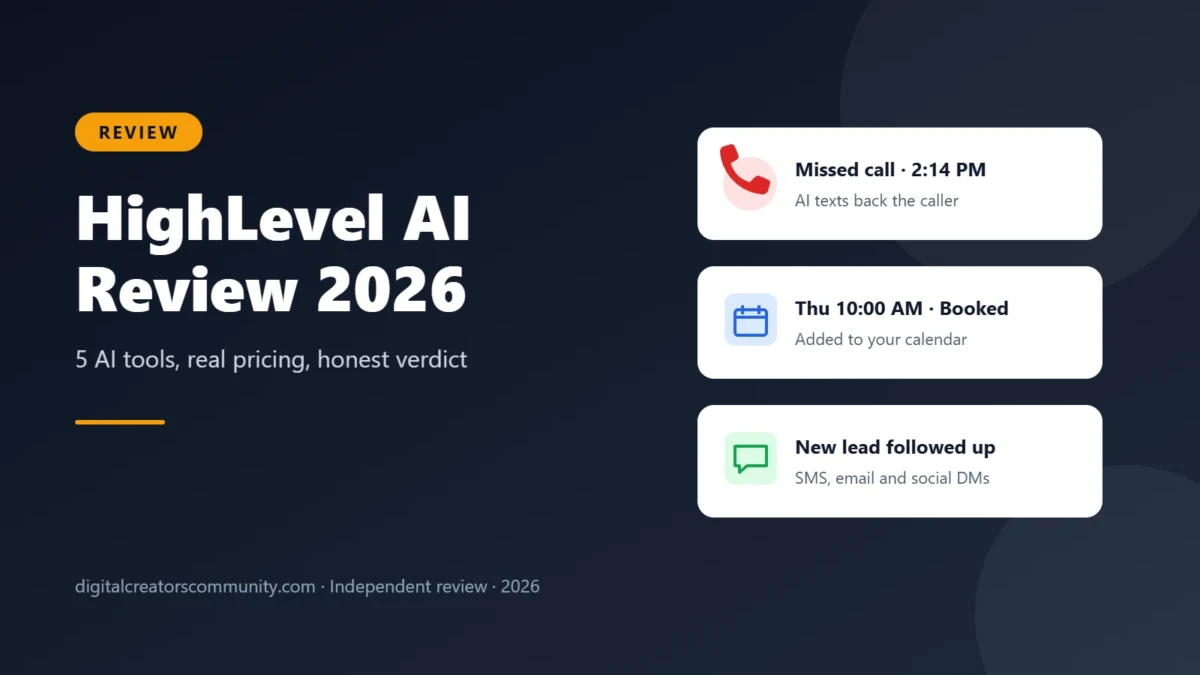
HighLevel AI is a set of AI assistants built into the HighLevel CRM that answer calls, reply to leads, book appointments and respond to reviews for small businesses and agencies. In this HighLevel AI review, we explain what each tool does, what it really costs (the AI is a paid add-on), who it fits and who should skip it, using only details from HighLevel’s official pages.
Quick verdict
It is a strong choice for service businesses and agencies that lose leads to missed calls and slow replies, because the AI works inside the same CRM, calendar and inbox. It is not the cheapest option: you pay for a HighLevel plan plus the AI Employee add-on, and phone, SMS and premium AI usage are billed on top.
- Good fit: local service businesses, clinics and contractors that take bookings by phone, and agencies managing clients.
- Skip it if: you only need a simple chatbot on one website, or you want a tool with no learning curve.
See how it works and start the trial
Trial offered by HighLevel. Billing terms are shown on their signup page.
What Is HighLevel AI?
HighLevel is an all-in-one sales and marketing platform with a CRM, website and funnel builder, email and SMS marketing, calendars, reputation management and workflow automation. The AI side adds a layer of AI assistants on top of those tools. HighLevel groups them under the name “AI Employee.”
The key idea is that the AI does not live in a separate app. When the AI books a call, the appointment lands in the same calendar your team uses. When it replies to a lead, the conversation shows up in the same inbox. That shared data is the main reason to choose it over a standalone chatbot.
The 5 Main HighLevel AI Tools
According to HighLevel’s official AI page, these are the core assistants. The descriptions below are summaries of what HighLevel says each tool does.
1. AI Receptionist
Answers incoming calls, qualifies callers and books appointments into your calendar. HighLevel positions it as a way to stop losing calls after hours or when your team is busy.
2. AI Scheduler
Collects appointment details from leads and books, confirms or reschedules meetings by text and chat, so people can book without a phone call.
3. AI Sales Agent
Follows up with leads from different channels, such as SMS, email and social messages, and tries to move them toward a booked appointment.
4. AI Reputation Agent
Drafts and sends replies to your online reviews. Replying to reviews consistently is part of good local SEO, but results in search depend on many factors.
5. Agent Studio
A drag-and-drop builder for creating custom AI agents and automations without writing code. HighLevel also offers Ask AI, an assistant that helps you complete tasks inside the platform, and an AI Marketer for campaigns.
How HighLevel AI Handles a Missed Call
The easiest way to understand these assistants is to follow one lead. Imagine a dental office that misses a call at 2:14 PM because the front desk is busy with a patient.
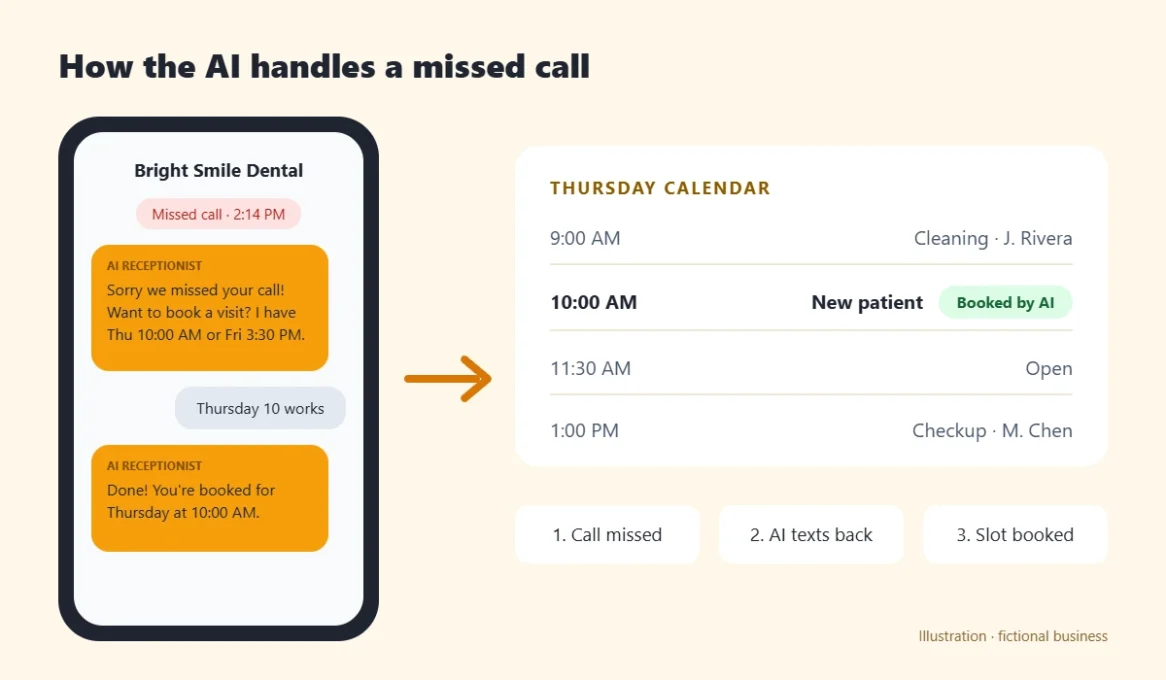
- The call is missed. The caller would normally hang up and try a competitor.
- The AI texts back. Within the same conversation, the AI apologizes for the missed call and offers open time slots.
- The lead picks a time. The AI books the slot on the office calendar and confirms it.
- Your team stays in control. Staff can read the whole conversation in the inbox and step in at any time.
This is the kind of workflow where the AI makes the most sense: repetitive, time-sensitive replies that decide whether a lead books with you or with someone else.
HighLevel AI Pricing: What It Really Costs
This is the part many reviews skip. The AI is not included for free in the base plans. You need a HighLevel plan and the AI Employee add-on, which HighLevel prices per sub-account (one sub-account is usually one business or one client).
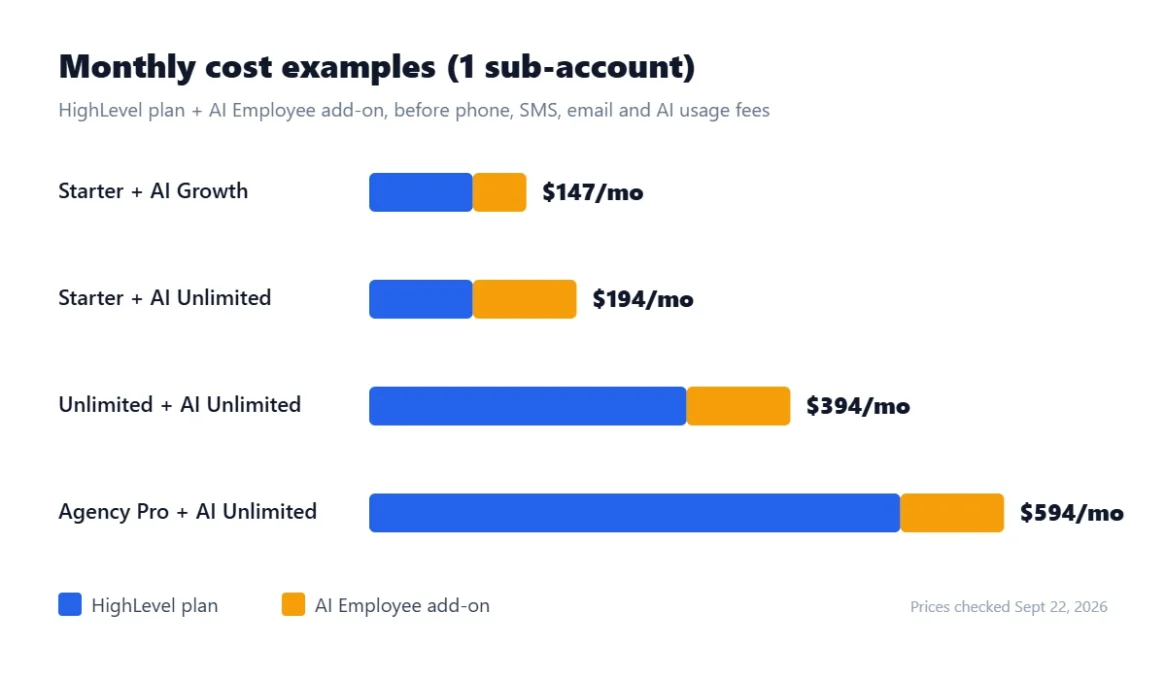
| Item | Price | Notes |
|---|---|---|
| Starter plan | $97/month | 3 sub-accounts, unlimited contacts and users |
| Unlimited plan | $297/month | Unlimited sub-accounts |
| Agency Pro plan | $497/month | Unlimited sub-accounts plus SaaS features |
| AI Employee Growth | $50/month | Per sub-account |
| AI Employee Unlimited | $97/month | Per sub-account |
On top of the subscription, HighLevel says there are usage-based costs for phone numbers, SMS, emails sent and premium AI usage. Budget for those before you compare it with other tools. You can confirm the current numbers on HighLevel’s official pricing page.
Example: a single local business on the Starter plan with the AI Employee Unlimited add-on would pay $97 + $97 = $194 per month before usage fees.
HighLevel AI vs a Standalone AI Chatbot
Many small businesses first look at a simple website chatbot. Here is how the two approaches compare in practice:
| Question | AI inside HighLevel | Standalone chatbot |
|---|---|---|
| Answers phone calls? | Yes, with the AI Receptionist | Usually no |
| Books into your calendar? | Yes, the built-in calendar | Often needs an integration |
| Keeps lead history in a CRM? | Yes, same contact record | Depends on the tool |
| Monthly cost | Plan plus add-on plus usage | Often lower |
| Learning curve | Higher, full platform | Lower |
The short version: if you only need to answer website questions, a lighter chatbot can be enough. If your leads call, text and message from several channels, an AI that lives inside your CRM saves you from stitching tools together.
Tips to Get Better Results From AI Assistants
- Write clear business information. Hours, services, prices you are willing to share and service areas help the AI give correct answers.
- Start with one job. Turn on missed-call replies or booking first, then add more tasks after you trust the results.
- Read the conversations every day in the first week. Fix confusing answers and add missing information.
- Set a clear handoff. Decide when a human should take over, such as complaints or complex quotes.
- Track bookings, not messages. Compare how many appointments the AI booked with the monthly cost.
HighLevel AI Pros and Cons
What we like
- Calls, texts, booking and CRM data work together in one platform.
- Custom AI agents can be built with a drag-and-drop editor.
- New accounts get a 14-day trial and a 1-hour onboarding session, according to HighLevel.
- HighLevel reports a rating of 4.8 out of 5 from more than 500 reviews on G2.
What to consider
- The AI Employee is a paid add-on on top of your plan, priced per sub-account.
- Phone, SMS, email and premium AI usage cost extra.
- The platform has many features, so expect a learning curve during the first weeks.
- Any AI that talks to customers needs regular review of its answers.
Who Should Use HighLevel AI?
The AI assistants fit businesses where a fast reply decides the sale:
- Home service companies such as plumbers, roofers and cleaners that get calls while on a job.
- Appointment-based businesses such as clinics, salons and consultants.
- Marketing agencies that want to offer AI reception and follow-up to their clients.
It is probably not the right fit if you only need a website chat widget, if you have no phone-based leads, or if you do not want to manage a full CRM.
How to Test the AI Tools During the Trial
- Start the 14-day trial and book the included onboarding session.
- Connect your business phone number and calendar.
- Turn on the AI Receptionist or AI Scheduler with your hours, services and common questions.
- Test it with a few real calls and messages, then review every conversation before you rely on it.
- Before the trial ends, compare the total monthly cost with the leads it helped you book.
New to HighLevel? Our HighLevel Bootcamp review explains a free live class that walks you through setup, with a longer 30-day trial.
Our honest verdict on HighLevel AI
If missed calls and slow follow-up are costing you bookings, this AI suite is worth testing during the trial, because it works inside the CRM you would use anyway. Check the full monthly cost, including the add-on and usage fees, before you commit.
HighLevel AI FAQ
Is HighLevel AI free?
No. You can test it during HighLevel’s 14-day trial, but after that you pay for a HighLevel plan plus the AI Employee add-on ($50 or $97 per month per sub-account as of September 2026), and usage fees apply.
Do I need technical skills to use the AI tools?
No coding is required. Agent Studio uses a drag-and-drop editor, and HighLevel includes a 1-hour onboarding session for new trial accounts.
Can the AI answer phone calls?
Yes. According to HighLevel, the AI Receptionist answers calls, qualifies callers and books appointments into your calendar.
Is this review sponsored by HighLevel?
No. Digital Creators Community is an independent site and is not operated or endorsed by HighLevel. We may earn a commission through affiliate links, as explained in our disclosure. Read how we review tools.
HighLevel is a trademark of HighLevel LLC. Features and prices come from HighLevel’s official website, checked September 22, 2026, and may change. Always confirm current details before you buy. Results vary by business.